

Download Fluent Flyouts – Modern System Flyouts, Fluent Design, Open Source
Overview
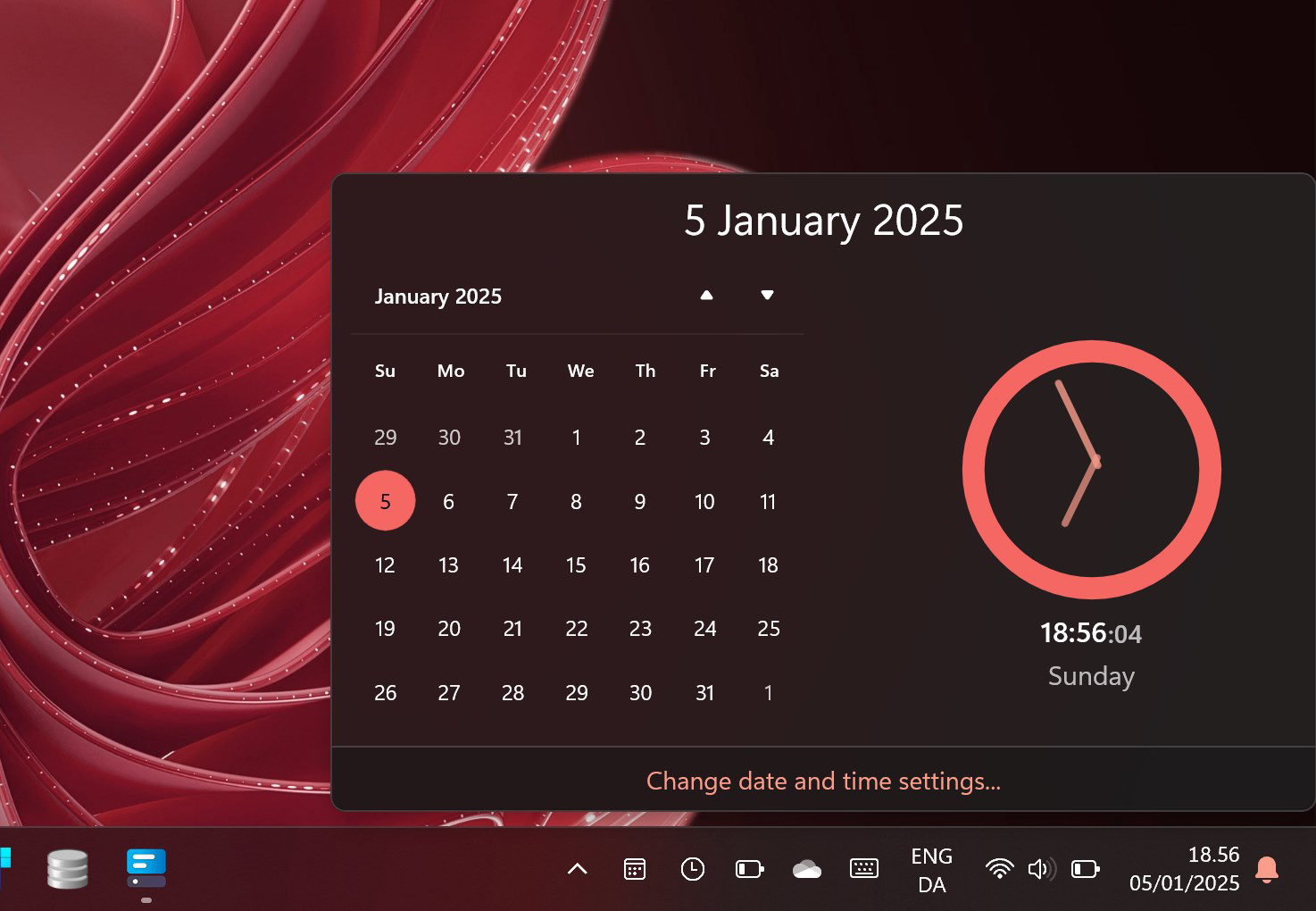
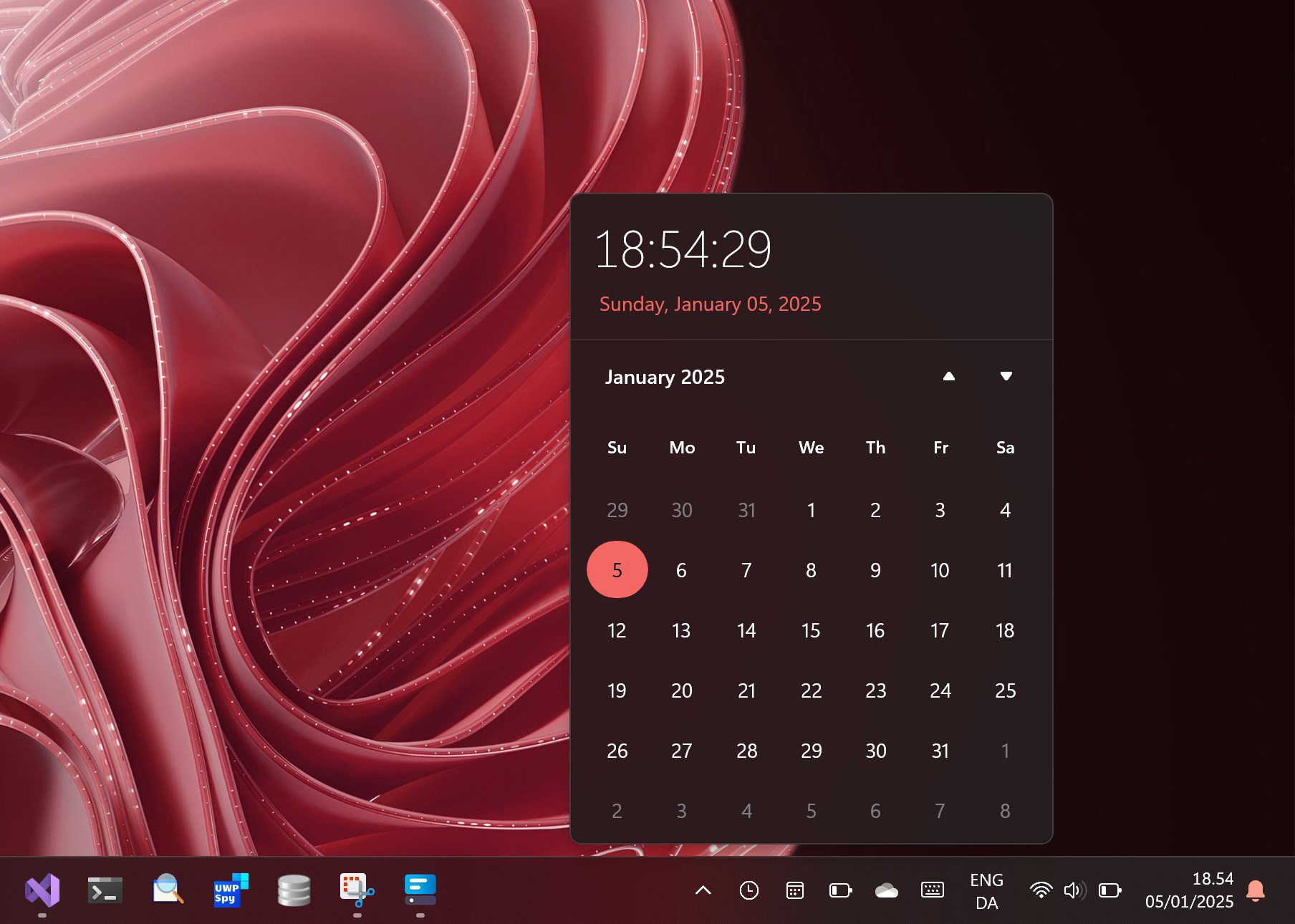
Fluent Flyouts is an innovative open-source project designed to modernize traditional system flyouts with a sleek, contemporary interface rooted in Microsoft’s Fluent Design System. The application enhances user interaction by delivering essential system functions through visually refined, context-aware pop-ups. Currently, it includes a calendar flyout, brightness flyout, and a classic clock flyout—each engineered to provide quick access to frequently used tools without disrupting workflow. These flyouts aim to improve both aesthetic appeal and functional efficiency, offering a more intuitive experience for users who value design consistency and responsiveness.
Targeted primarily at Windows users seeking a refined interface, Fluent Flyouts caters to individuals who appreciate modern UI principles and desire a seamless integration with their operating system. Whether managing daily schedules, adjusting screen brightness, or checking the time, the app streamlines these tasks with minimal effort. Its open-source nature invites transparency and community-driven development, allowing contributors to review, modify, and enhance the codebase via GitHub. This collaborative approach ensures ongoing evolution and adaptability to user needs. Although the developer did not provide additional technical details, the project’s focus on usability and visual harmony positions it as a meaningful addition to the Windows productivity ecosystem.
Key Features & Functionality
- Modern Design Aesthetics: Embraces Microsoft’s Fluent Design System with subtle shadows, transparency effects, and consistent typography, ensuring a polished appearance that aligns with Windows’ visual language.
- Functional Flyouts: Delivers three core flyouts—calendar, brightness, and clock—each optimized for instant access and clear information display.
- Open Source Transparency: Fully open-source on GitHub, enabling users to inspect, contribute to, and suggest improvements to the codebase.
- Planned Future Features: Development roadmap includes a battery flyout in version 3, signaling a commitment to expanding functionality over time.
- User-Friendly Navigation: Intuitive layout and responsive triggers allow users to access features with minimal interaction, reducing cognitive load.
For example, a user can quickly check upcoming events via the calendar flyout without opening a full application, or adjust brightness with a single click during a presentation. The clock flyout offers a clean, readable display that blends into the desktop environment. These real-world scenarios demonstrate how Fluent Flyouts enhances daily productivity by minimizing app switching and maximizing visual clarity. The design prioritizes utility without sacrificing elegance, making it suitable for both casual users and power users seeking a refined interface.
Interface, UX & Performance
The interface of Fluent Flyouts reflects a clean, minimalistic approach with emphasis on readability and visual harmony. Flyouts appear with smooth animations, suggesting attention to detail in user experience design. The layout is consistent across all functions, featuring a centered or edge-aligned presentation depending on the system’s default behavior. Navigation is straightforward: users trigger flyouts through system shortcuts or designated hotkeys, with immediate feedback upon activation.
Although the developer did not list formal performance metrics, the app’s lightweight nature and focus on core functions suggest efficient resource usage. It is expected to operate smoothly on a range of Windows devices, from entry-level to high-end systems. Responsiveness is likely optimized for real-time interactions, such as adjusting brightness or viewing live time updates. Stability appears to be a priority, given the open-source model’s reliance on community testing and bug reporting. The absence of reported crashes or compatibility issues in public forums indicates a stable baseline. However, specific requirements were not listed, so users should ensure compatibility with their current system setup.
Platform Compatibility & Technical Requirements
Fluent Flyouts is designed for the Windows operating system. The application is compatible with modern Windows versions, though specific OS requirements were not disclosed by the developer. The file size is reported as 1.2 MB, indicating a lightweight footprint suitable for quick installation and minimal storage impact. The current software version is 2.0, released on January 6, 2025.
Users are advised to verify compatibility with their device’s architecture and Windows build before installation. The developer did not specify minimum OS requirements or hardware dependencies. While the app is expected to run efficiently on standard Windows environments, users should consult official documentation or GitHub repositories for any system-specific notes. No additional permissions or background services were mentioned in the public release.
Pros and Cons
Pros
- Modern, visually appealing design aligned with Fluent Design principles.
- Lightweight and fast-loading with minimal system resource usage.
- Open-source model promotes transparency and community involvement.
- Intuitive interface with seamless access to essential system tools.
- Regular updates and future feature planning indicate long-term viability.
Cons
- Specific system requirements were not listed by the developer.
- Only three flyouts are currently available, limiting immediate functionality.
- Future features are planned but not yet implemented.
- Limited documentation may challenge new users unfamiliar with open-source tools.
- Platform availability is restricted to Windows only.
FAQ
Is Fluent Flyouts free to download and use?
Yes, Fluent Flyouts is available at no cost. As an open-source project, it is distributed freely under a permissive license, allowing users to install and use it without payment.
Can I contribute to the development of Fluent Flyouts?
Yes, the project is fully open-source and hosted on GitHub. Developers and designers are welcome to review the code, submit bug reports, suggest improvements, or contribute new features.
Is Fluent Flyouts safe to install on my Windows device?
Yes, the app is considered secure as it is open-source and distributed through official channels. Users are encouraged to verify the authenticity of downloads by checking the GitHub repository.
Will Fluent Flyouts work on older versions of Windows?
Compatibility with older Windows versions was not specified. While it may function on older systems, users should verify system requirements through the official project page or community forums.
How often are updates released for Fluent Flyouts?
Updates are released regularly based on community feedback and development progress. The roadmap indicates future enhancements, including a battery flyout in version 3, suggesting an active development cycle.
Final Thoughts + CTA
Fluent Flyouts stands out as a thoughtful, design-forward enhancement for Windows users who value both aesthetics and functionality. By reimagining standard system flyouts with a modern, responsive interface, it delivers a refined user experience that feels native and intuitive. Its open-source foundation fosters trust, innovation, and long-term sustainability. While the current feature set is modest, the clear roadmap and active development signal strong potential for future growth.
Users who appreciate clean design, quick access to system tools, and the ability to engage with software development will find Fluent Flyouts particularly valuable. Whether you're a student managing a busy schedule, a professional optimizing workflow, or a tech enthusiast exploring open-source projects, this app offers tangible benefits with minimal friction.
Download Fluent Flyouts now to experience a smarter, more beautiful way to interact with your Windows system.


